Sinji Cycling Computer RS-100 Wireless Backlight

Sinji Cycling Computer RS-100 Wireless Backlight

$44.00
Sale price  $44.00 Regular price 
Skip to product information
Sinji Cycling Computer RS-100 Wireless Backlight

Sinji Cycling Computer RS-100 Wireless Backlight

$44.00
Sale price  $44.00 Regular price 

View of the RS-100's Body

RS-100

Wireless speed meter Sensor

RS-100

View installed on handlebar of sliming RS-100

RS-100

View of Sensor installed in spoke's inner

RS-100

RS-100 turn on blue backlight

RS-100

RS-100's Wide slim LCD and Single button

1. CLK mode - Clock mode (Display 12 Hour and 24 hours)
2. TM mode - Riding time
3. AVS mode - Average speed
4. MXS mode - Max speed
5. DST mode - Total distance
6. ODD mode - ODO
7. KCAL mode - Calorie (Display Total spending Calorie)

※ Please refer to the manual for details.

How to install Bracket

1. Attach rubber pad and fixing pad on handlebar.

2. Place bracket on fixing pad and use
cable tie to tighten up.

How to install RS-100

1. Put in the body obliquely like picture 1.
2. Turn the body clockwise like picture 2.

How to install wireless sensor

1. Check suitable position for sensor and attach.
2. Use cable tie to bind up.

※ Putting rubber pad over is okay to prevent of slipperiness.

How to install magnetic sensor

1. Attach magnetic sensor on spoke.
2. Check gap and height between sensor and magnet sensor. And tighten up screw to fix firmly.

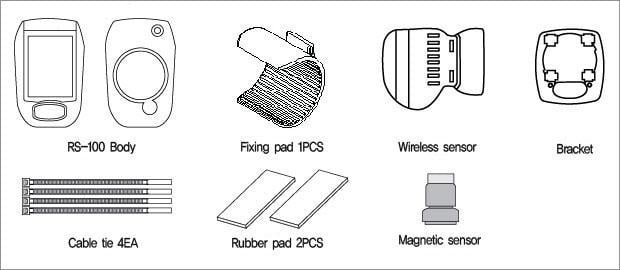
Composition of RS-100

RS-100

Package Design

RS-100

  • RS-100's circuit characteristic

  • Type Content
    Frequency Band 122Khz ~ 130Khz
    Output voltage <10mW
    Oscillation Type Pulse Code(ASK)
    Channel Count 1 Channel
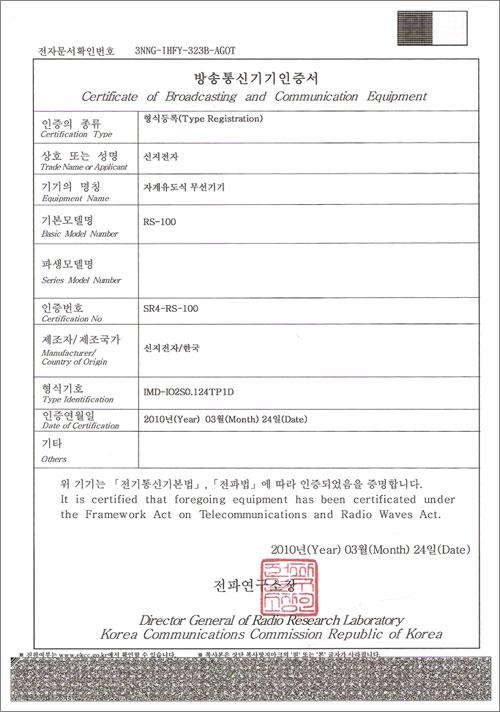
  • RS-100 KCC Wireless Type Registration Certification
  • RS-100

You may also like